Turning Fragmented Data Into a Unified Analytics Platform
Project type
End-to-end design for an internal data intelligence and analytics platform
My role
Senior Product Designer (acting as Product Manager during discovery)
My contribution
Stakeholder interviews, requirement gathering, information architecture, data analysis, flows, dashboard design
Target users
Company
Confidential client
Duration
9 months
Context
Overview
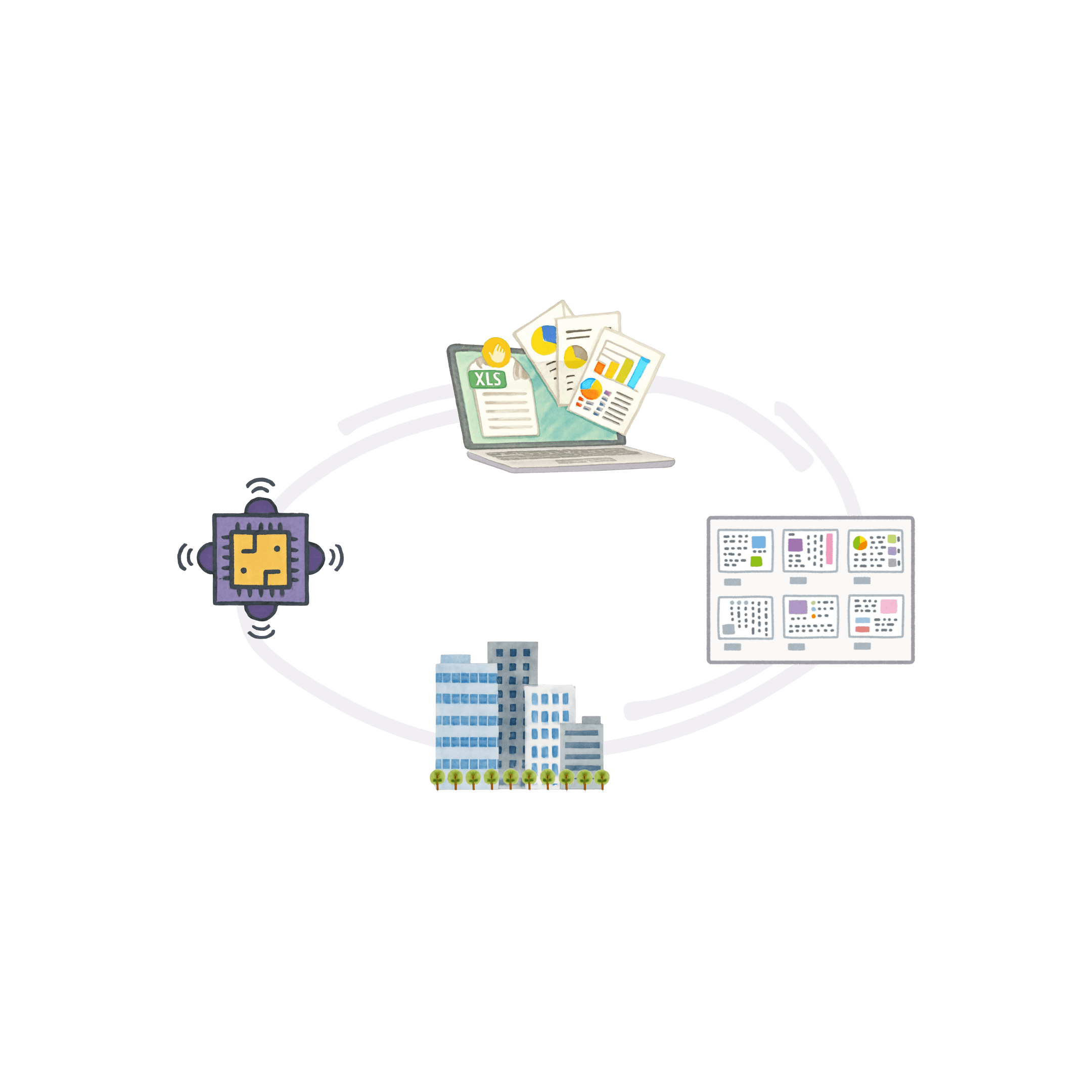
When I joined this project, the client’s department responsible for managing office services was struggling with a problem I kept hearing in every meeting: their data lived everywhere and nowhere. Building information, occupancy data, renovation statuses, and even basic space allocation metrics were scattered across spreadsheets, legacy tools, vendor dashboards, emails, and manual reports. This made it incredibly difficult to get a clear view of what was happening across hundreds of buildings and tens of thousands of employees.
My contribution
Although my official role was Product Designer, the reality was different. From day one, I had to lead discovery, define requirements, and connect the dots between multiple teams. I essentially worked as a hybrid Product Designer and Product Manager, shaping both the problem and the solution.
Discovery & Research
User interviews
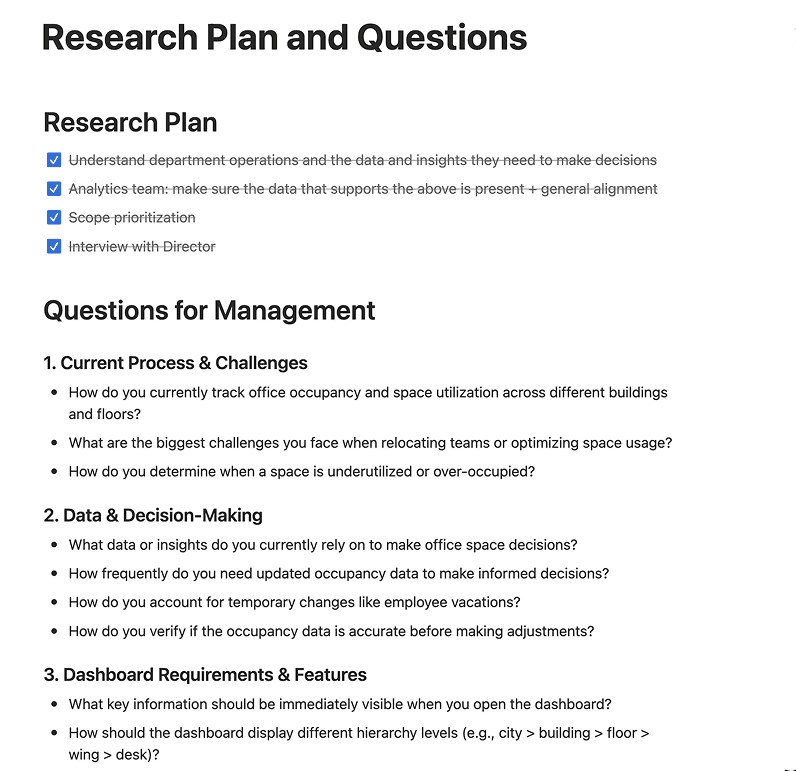
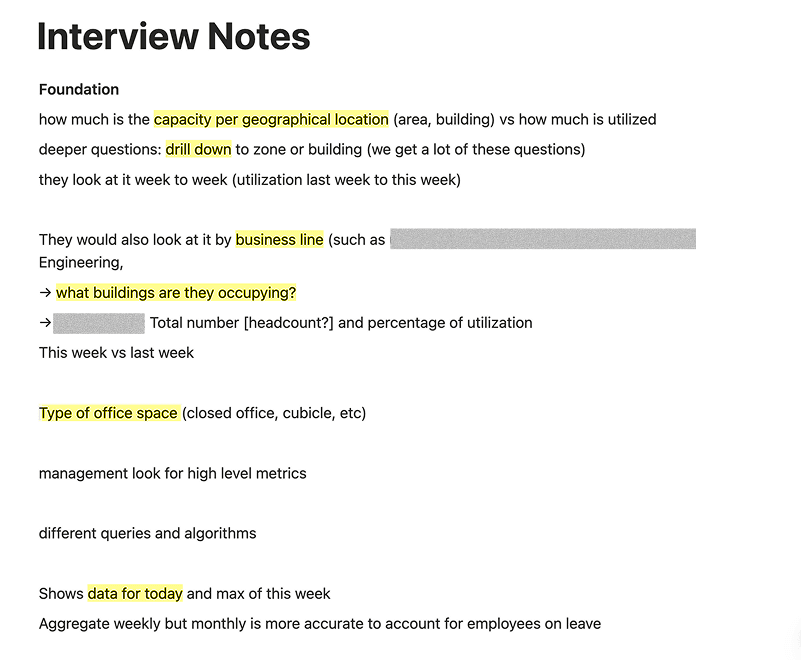
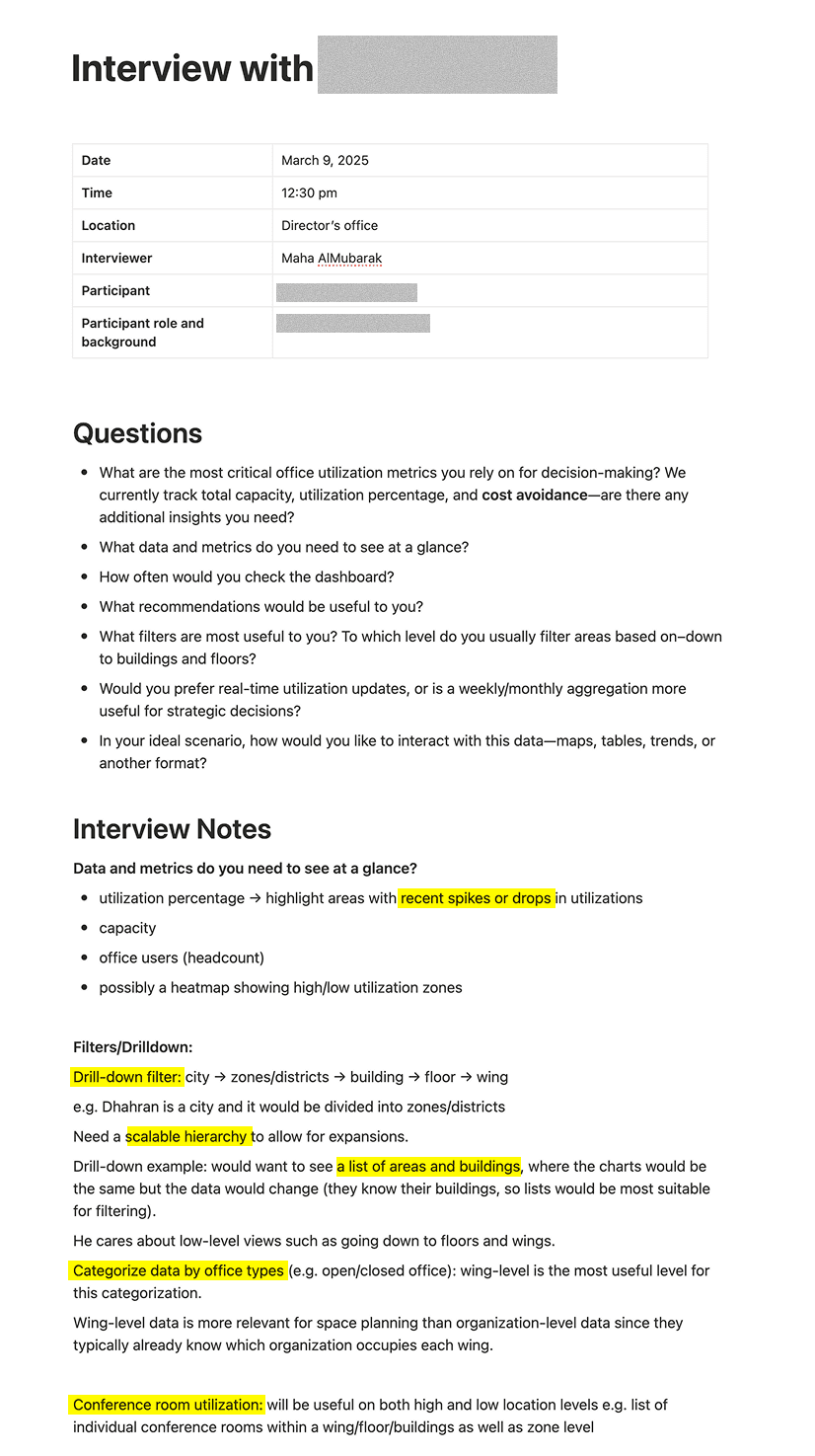
Sample of interview questions and notes
Mapping the data landscape
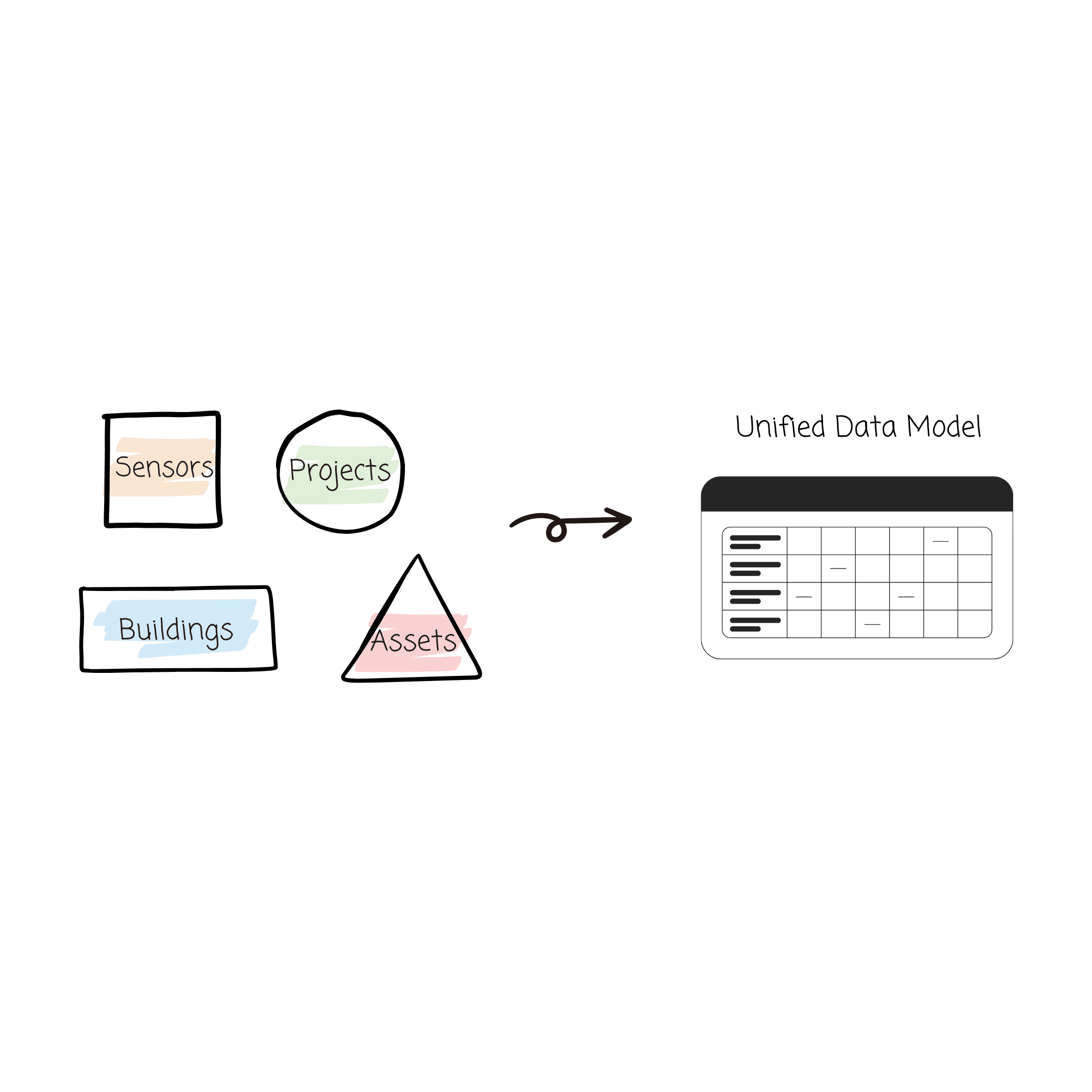
The department’s data ecosystem was more complex than I expected. They had live occupancy sensors from an external vendor, network-based analytics from an internal team, manually updated building information, and separate systems for assets, contracts, projects, and other information.
Each dataset had its own definitions, hierarchies, refresh rates, and formats. Some buildings were tracked by organization, some by geography. Some systems used unique IDs, some did not.
This analysis became the backbone for the platform. Before any screen was designed, we needed a shared understanding of how the organization was structured and how the data should align.
Defining the project scope
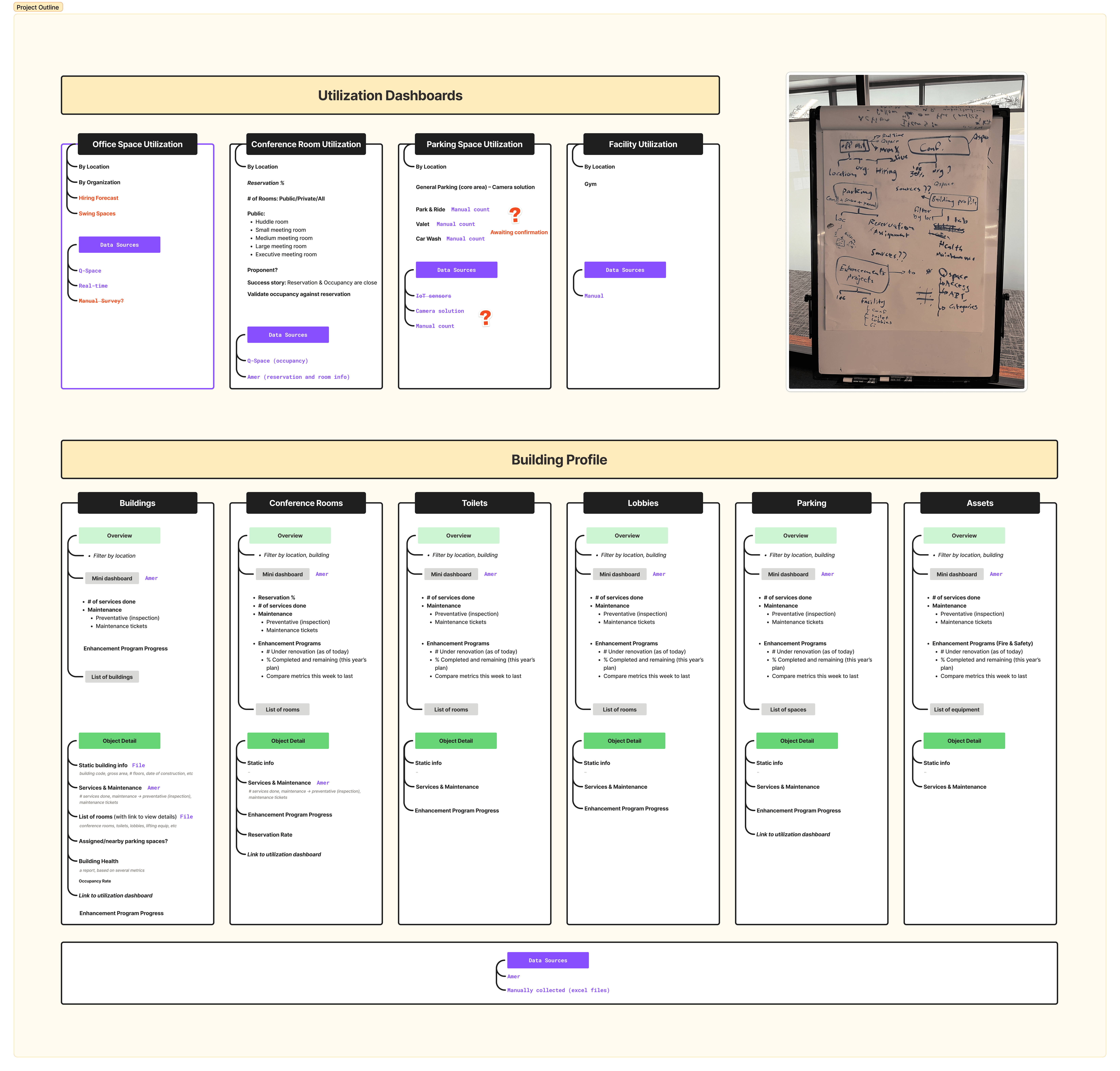
Based on discovery, I defined the core goals and requirements for the platform. The department needed a single place where they could view accurate, up-to-date information about their spaces, facilities, projects, and occupancy. They needed dashboards that blended multiple data sources into one narrative. And they needed it in a structure that matched the scale of their organization.
This became the foundation for OfficeView.
Designing the Utilization Dashboards
Mapping the data
Before any UI was designed, I had to understand how the department’s data fit together. I mapped the hierarchy of the metrics they used to measure, for this example, the office space occupancy. I clarified how occupancy sensors, network analytics, and manual records aligned. This work shaped the structure of the utilization dashboard and ensured every metric had a clear definition.
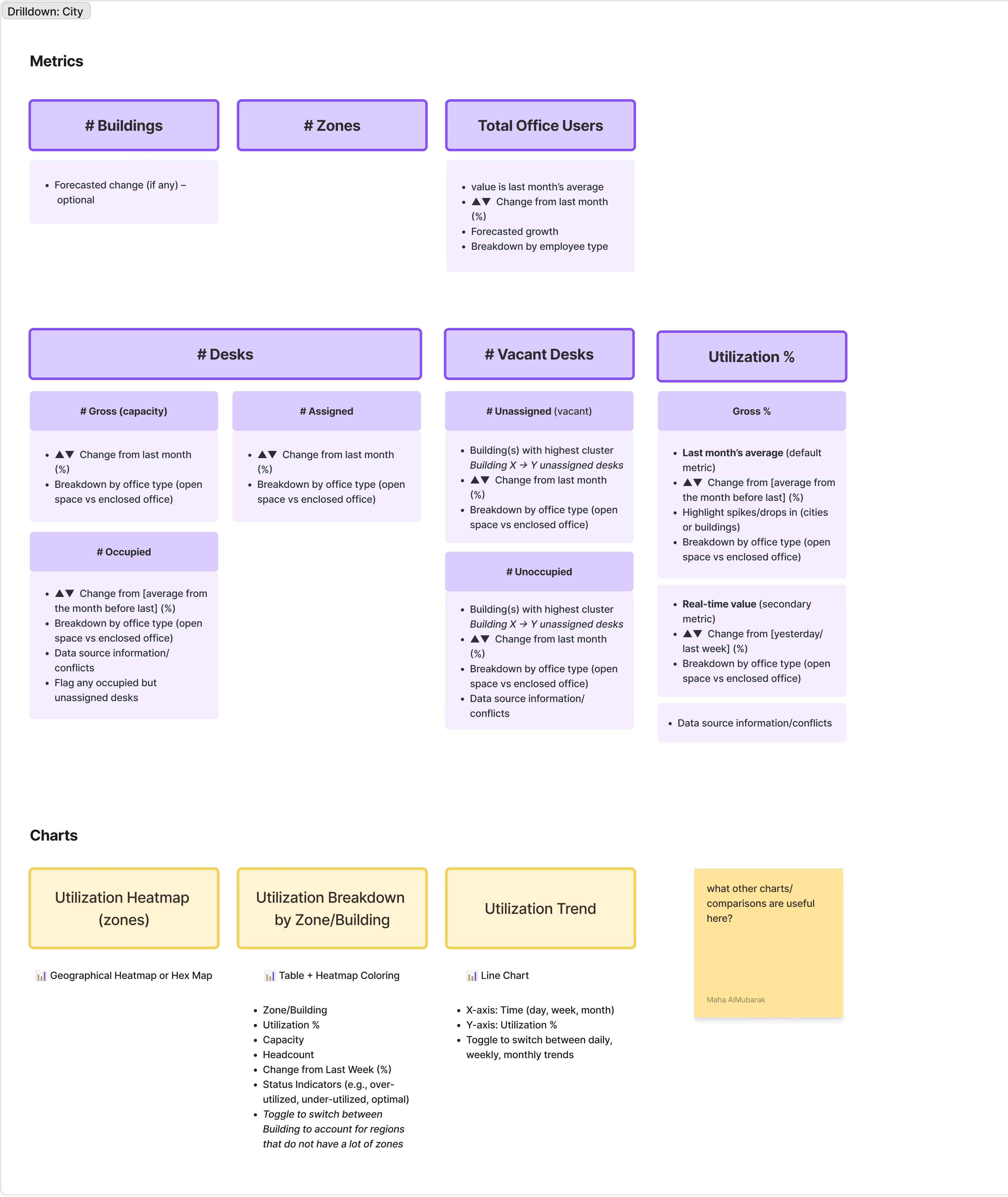
Early wireframe of the office utilization dashboard, where I was trying to map the hierarchy of the metric used
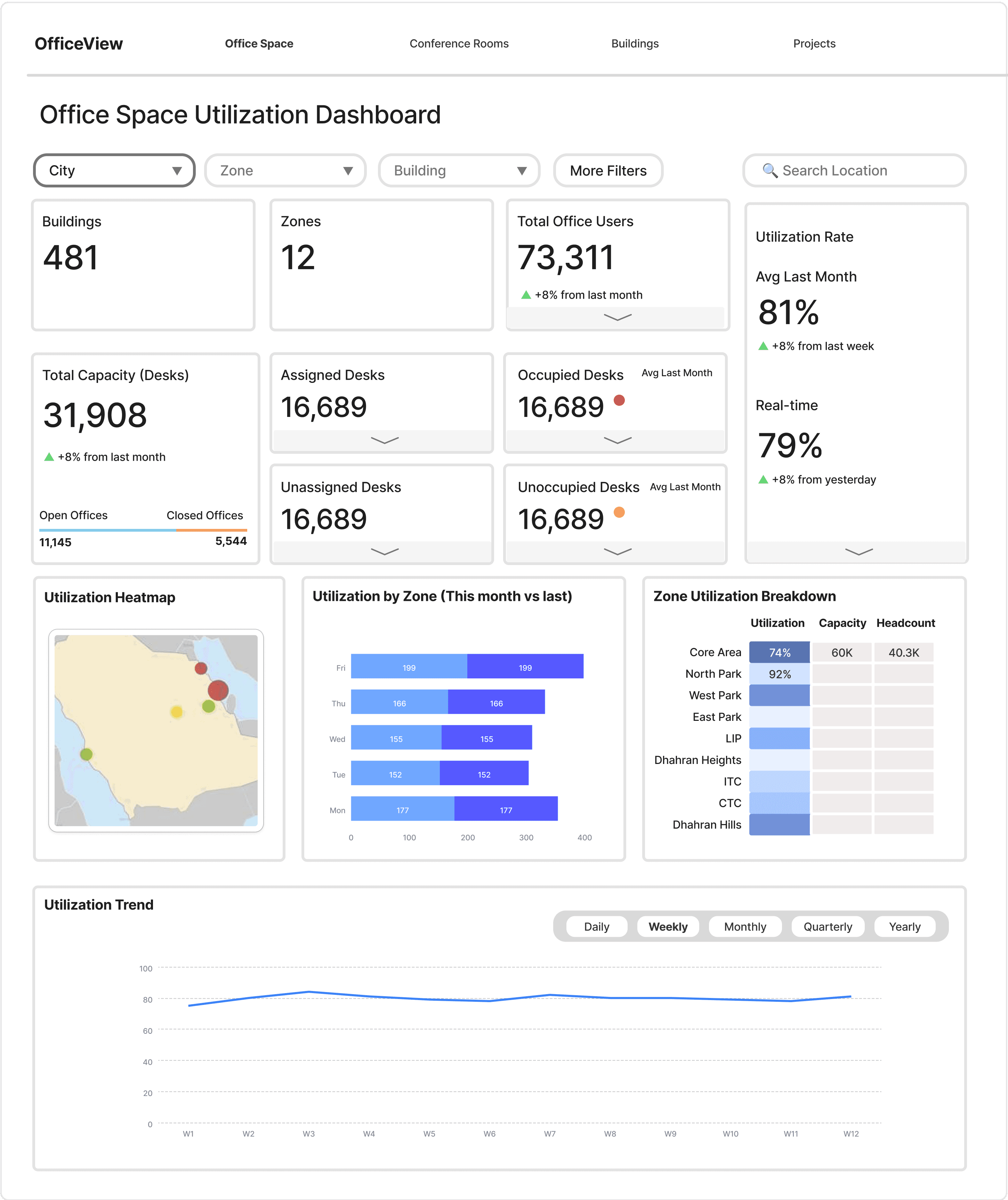
Low-fidelity design showing the location-based view of the office space utilization dashboard
Office Utilization Dashboard UI
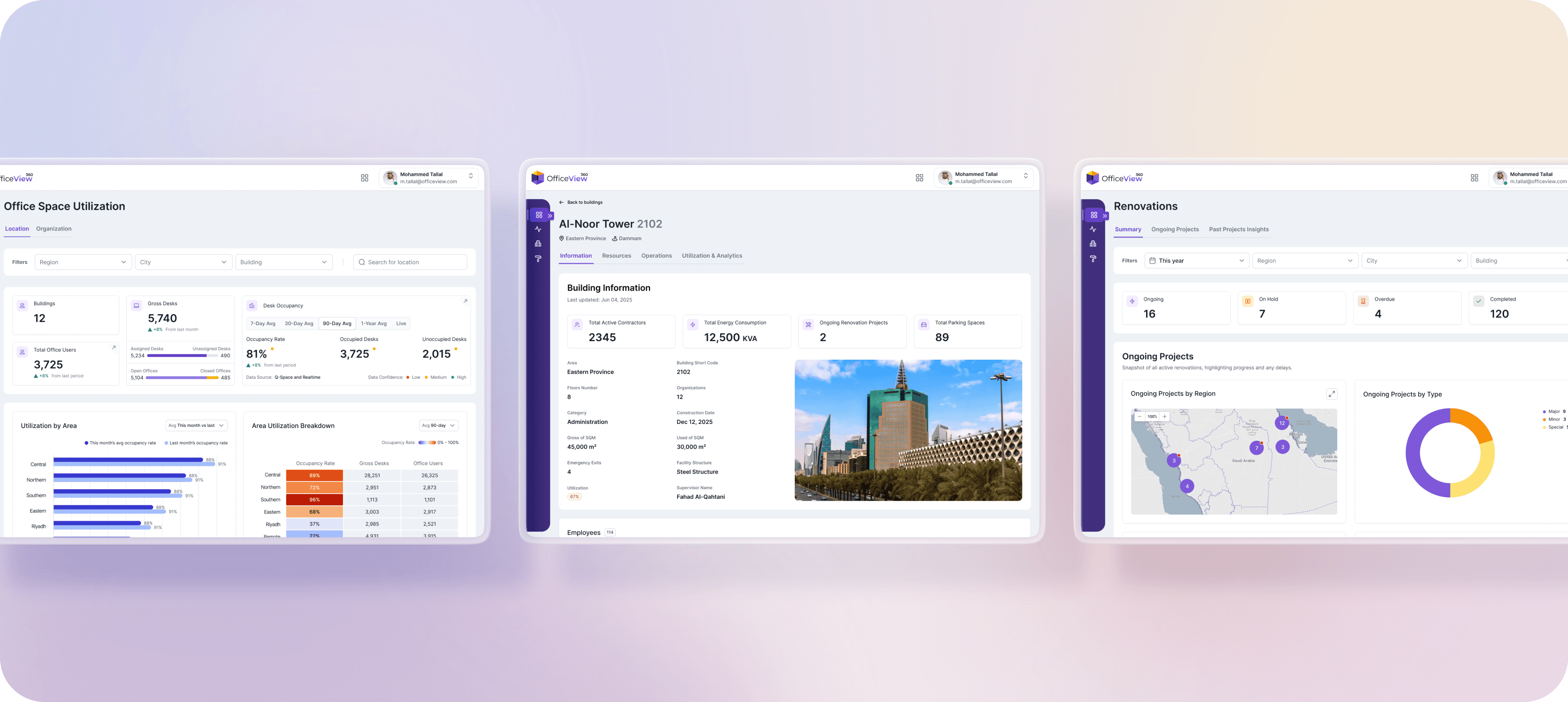
With the data model in place, I focused on making occupancy insights understandable at a glance. The dashboard needed to show assigned vs. occupied seats, highlight optimization opportunities, and allow users to drill into details without losing context. Directors could look at the data by physical locations or assigned organizations, compare trends, and quickly identify underutilized areas.
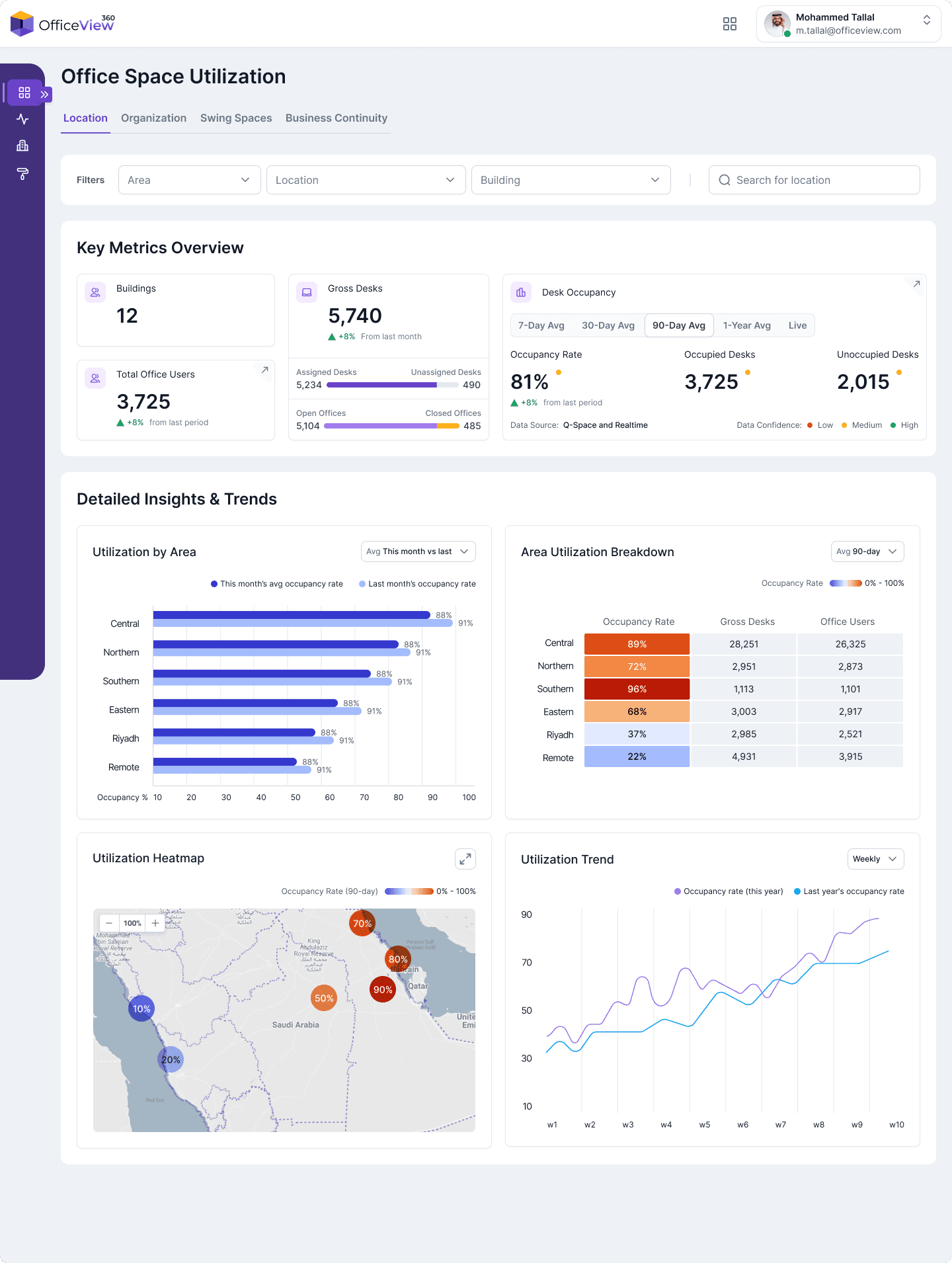
Location View: A high-level view of office occupancy when filtered by building and geographic hierarchy
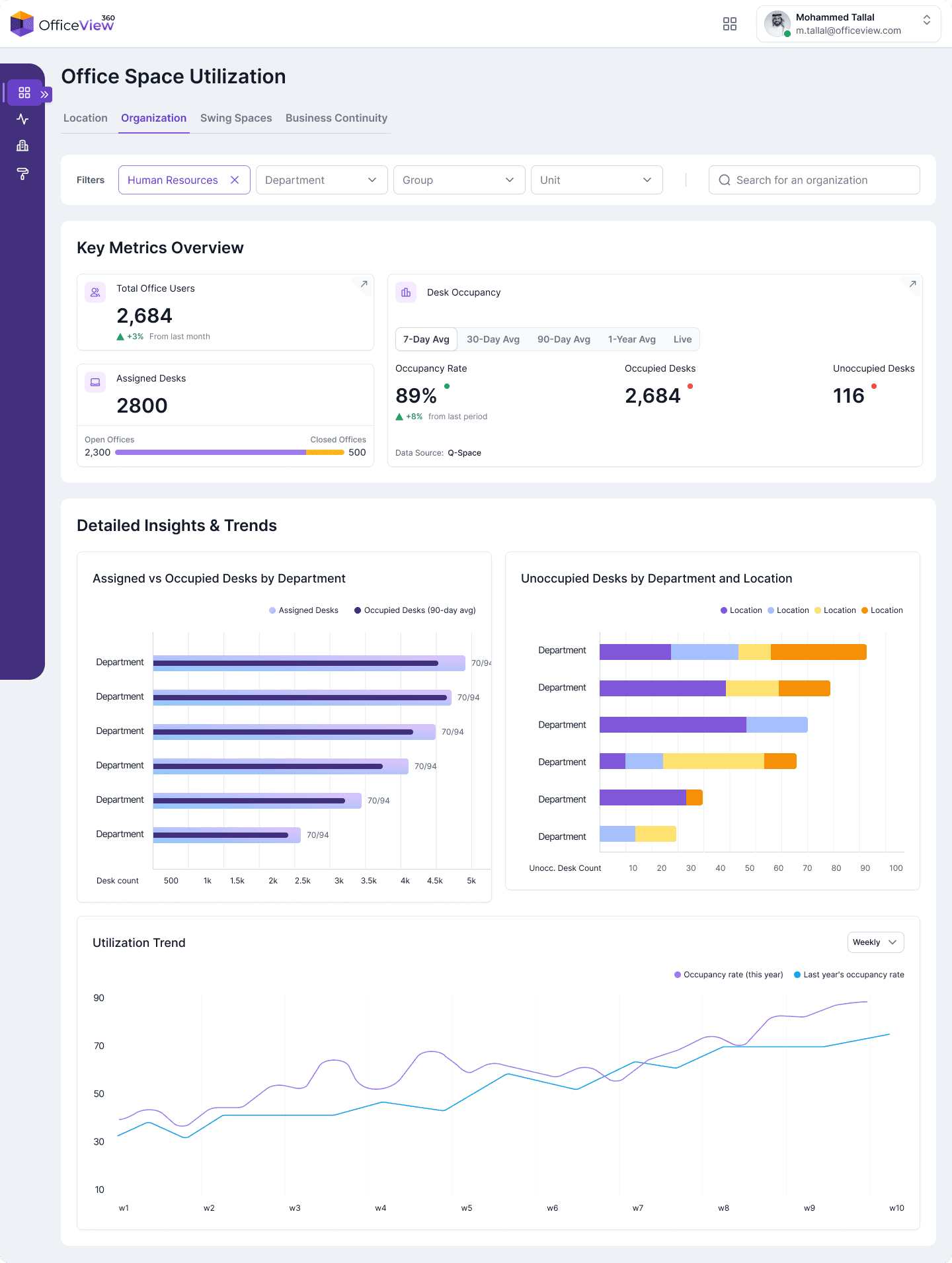
Organization View: The dashboard shifts to show utilization by department and organizational structure
Conference Rooms Utilization
We applied the same approach to conference rooms. Where the we compared reservation activity vs. actual occupancy behavior to reveal how spaces were truly being used. This meant looking at organizational patterns: who books rooms, who actually shows up, and where no-show rates or inefficiencies were happening. The outcome was a more realistic picture of meeting space utilization that helped the department plan improvements and reduce wasted capacity.
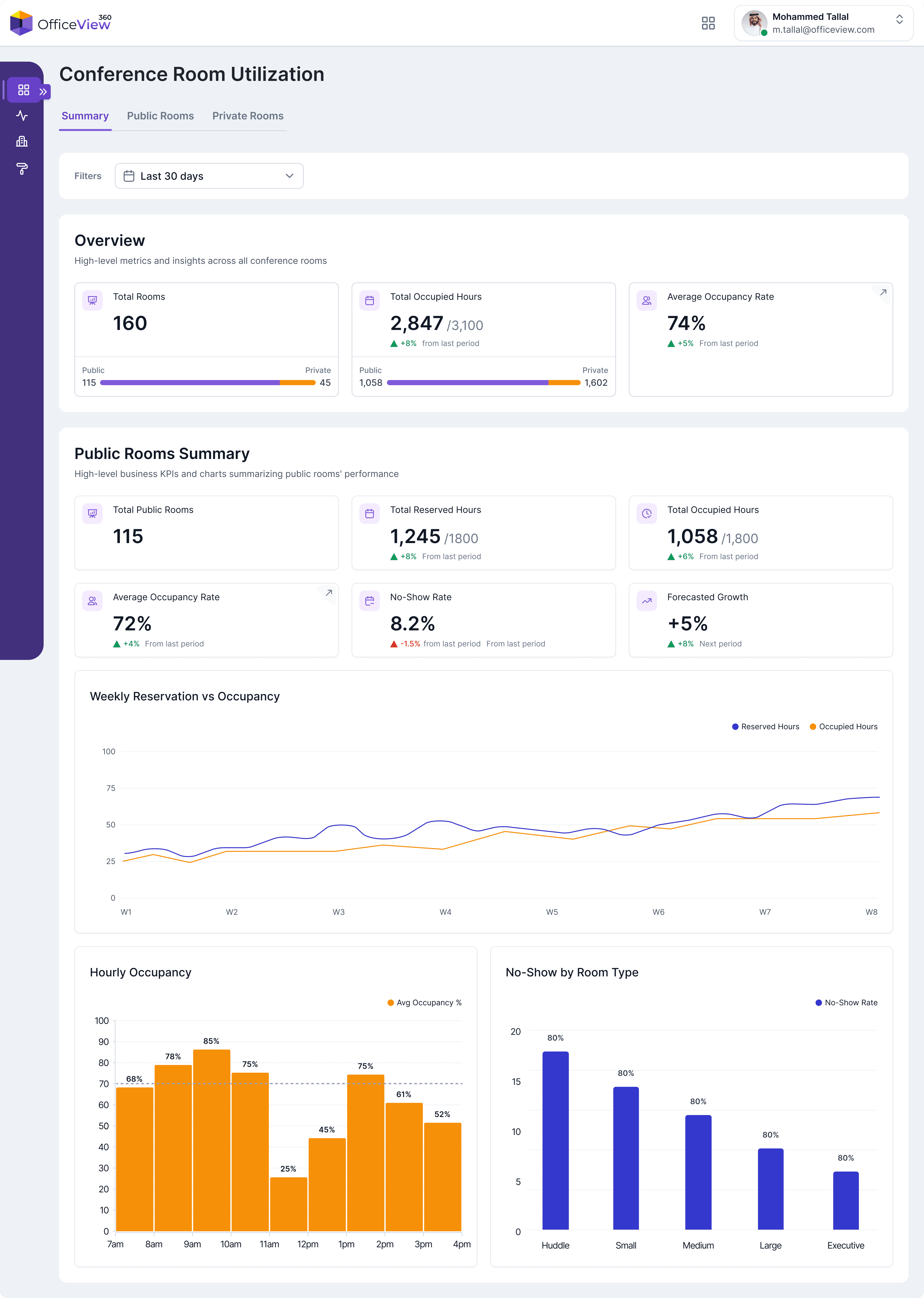
Conference Rooms Summary: A snapshot of reservation activity vs. actual occupancy behavior across meeting spaces
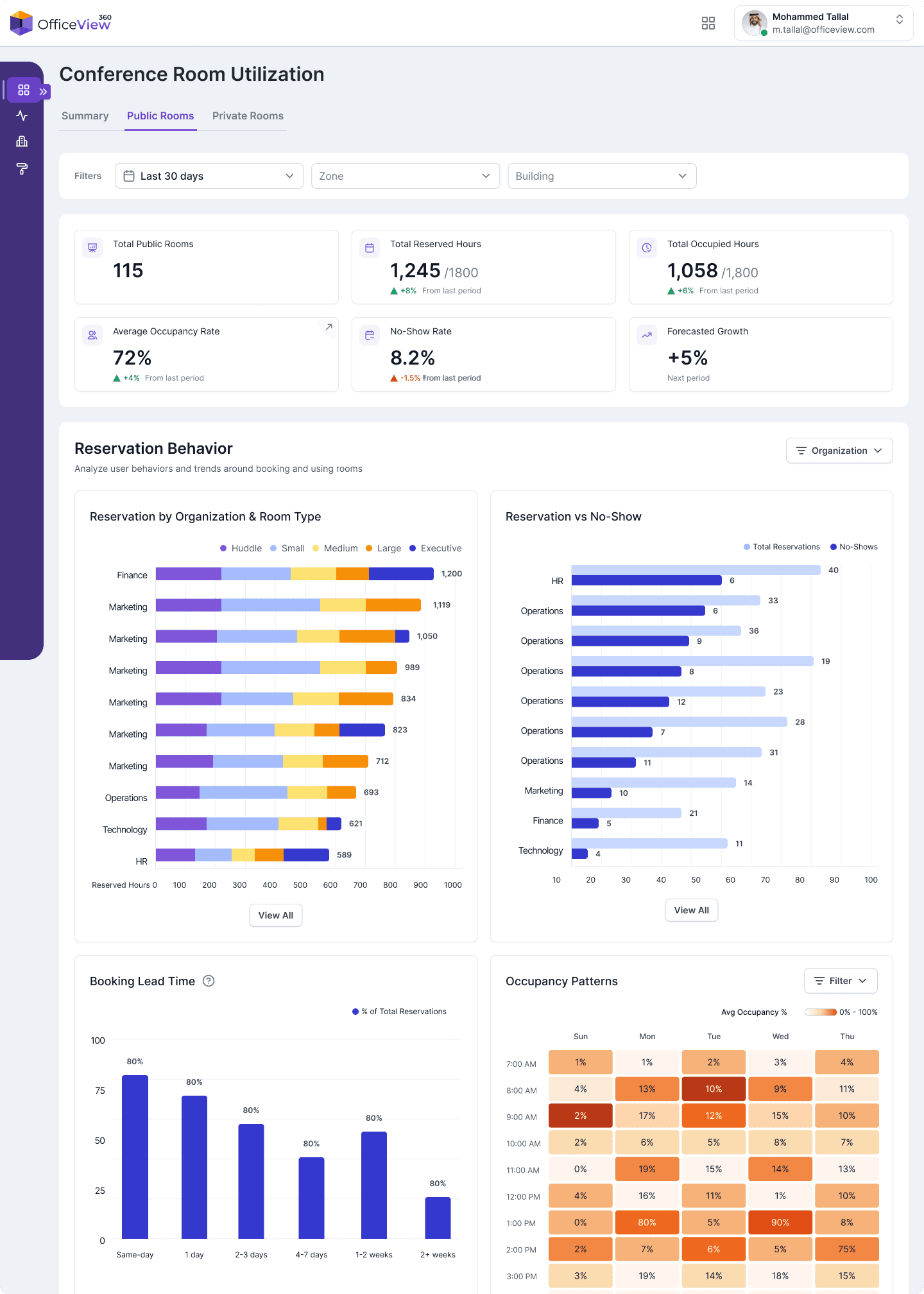
Public Rooms: A deeper look into of how shared, open-access rooms are being used, including peak times and reservations vs no-show patterns
Digging into metrics
The main dashboards highlight only the most essential metrics and relevant visualizations. To avoid overwhelming users, we built a consistent interaction pattern: where needed, KPI card opens a drawer with detailed breakdowns, explanations, and supporting charts. This kept the primary dashboard clean while still giving power users the depth they needed.
In these drawers, users can explore things like metric definitions, segmentation by relevant groups, historical trends, or comparisons between different data sources. This pattern became a reusable component across the platform because it balanced clarity on the surface with flexibility underneath.
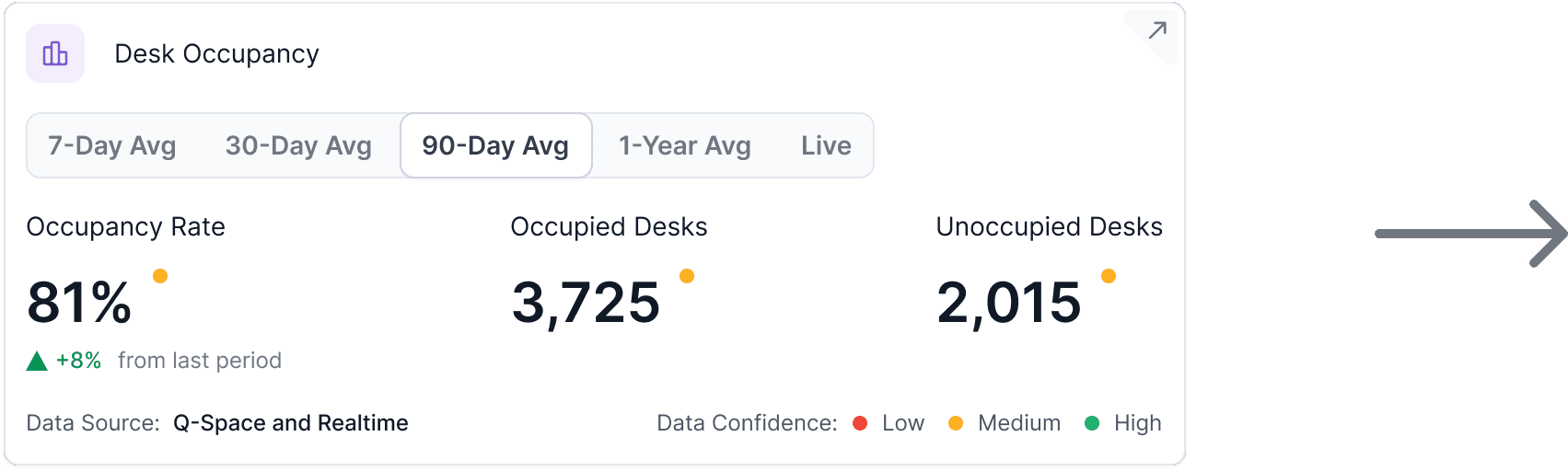
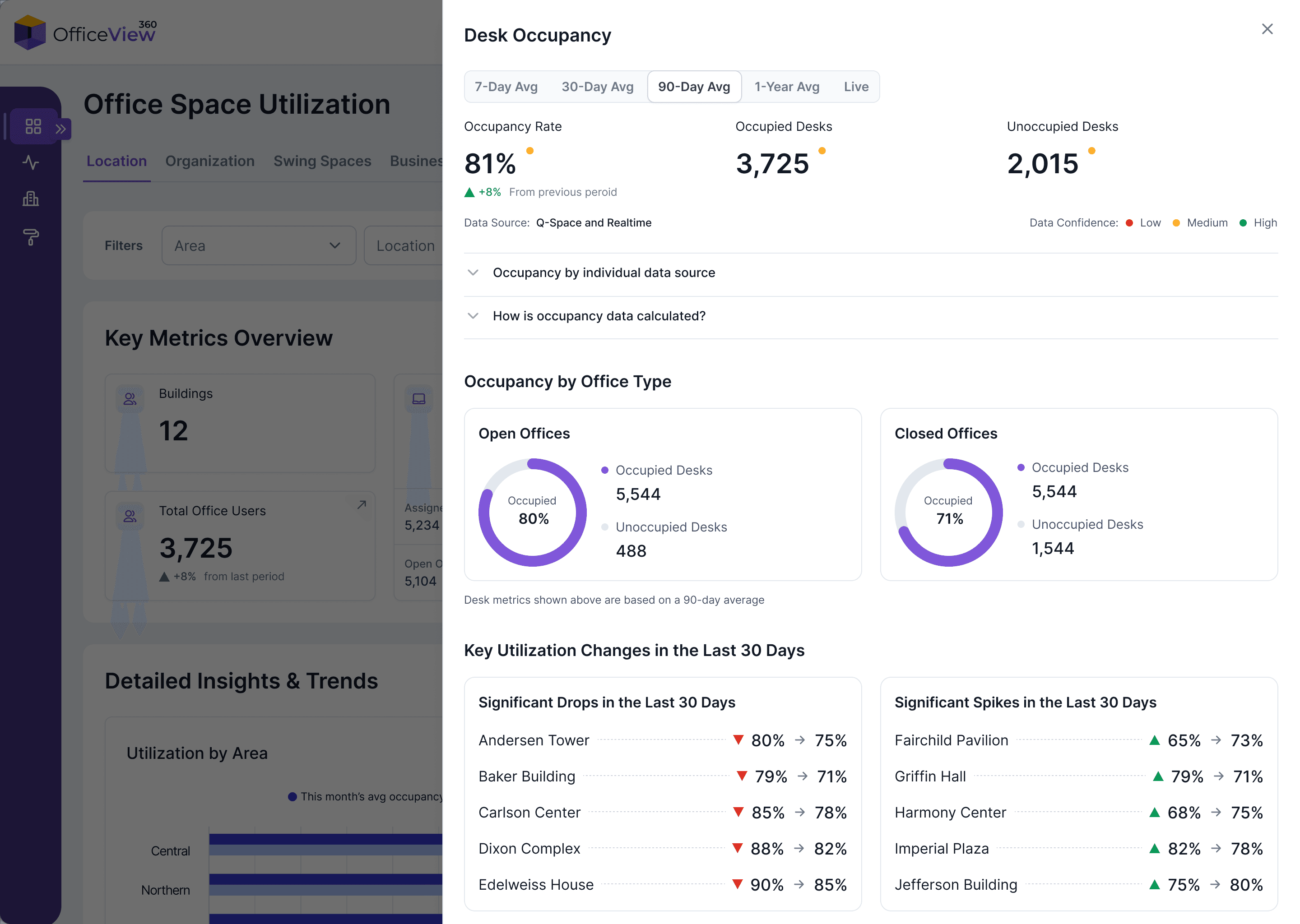
The occupancy insights drawer, showing the components of the metric, data source information, and key changes across buildings
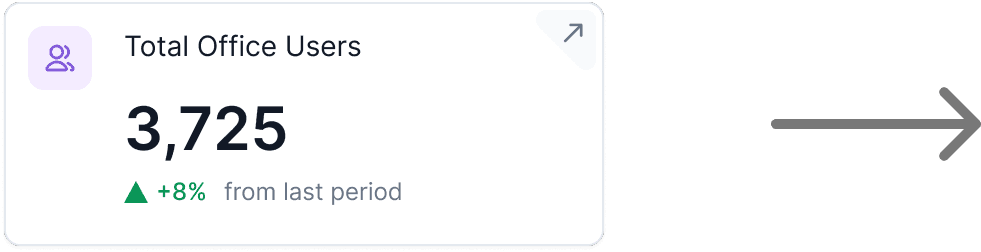
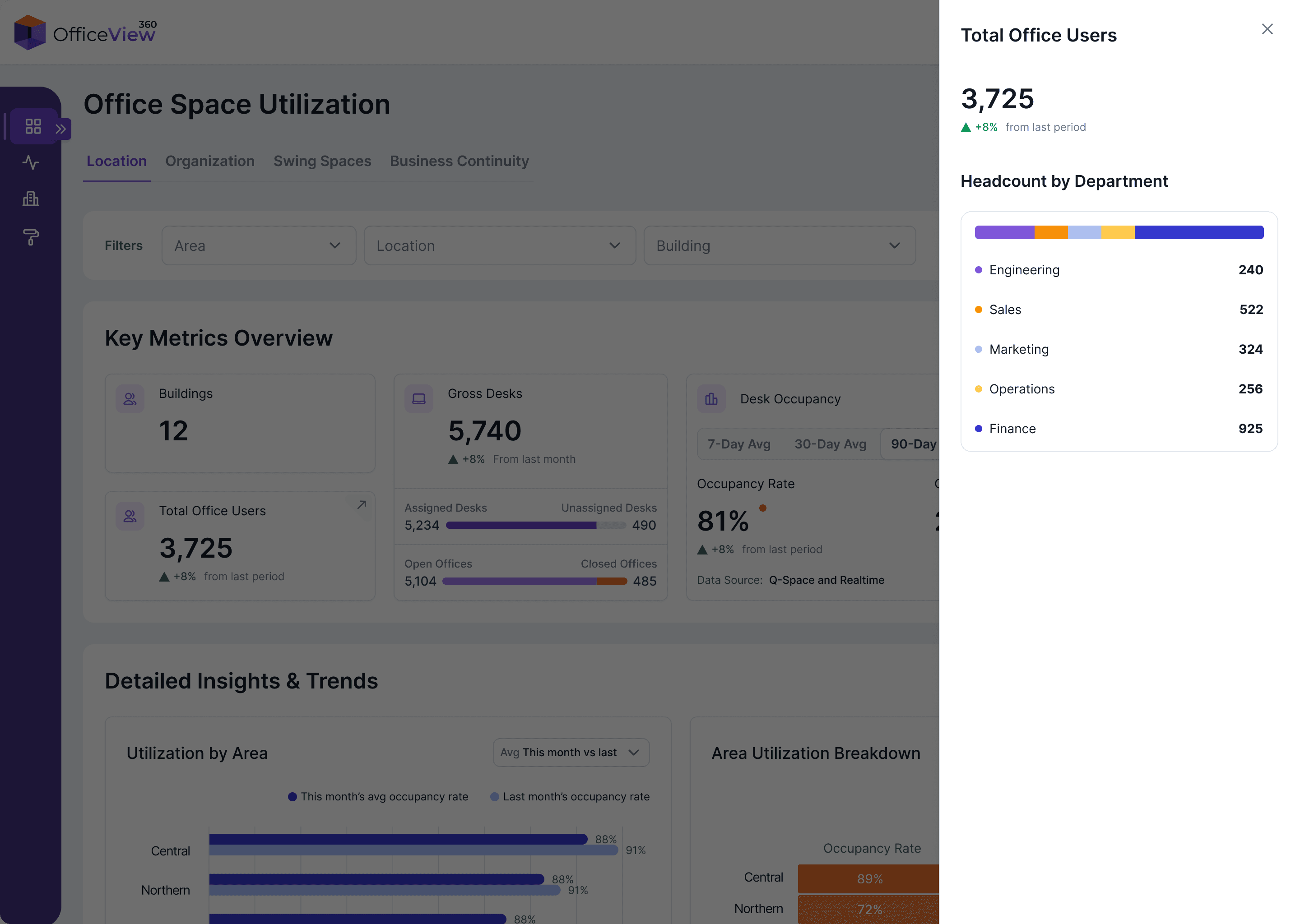
The drawer here is showing the breakdown of the “Total Office Users” metric, listing the headcount under each department
Building profiles
Beyond utilization, we designed a single place to view a building’s full context: facilities, assets, employees, safety status, renovation progress, and key metrics. This helped leadership understand what was happening in each building without needing separate reports from multiple teams.
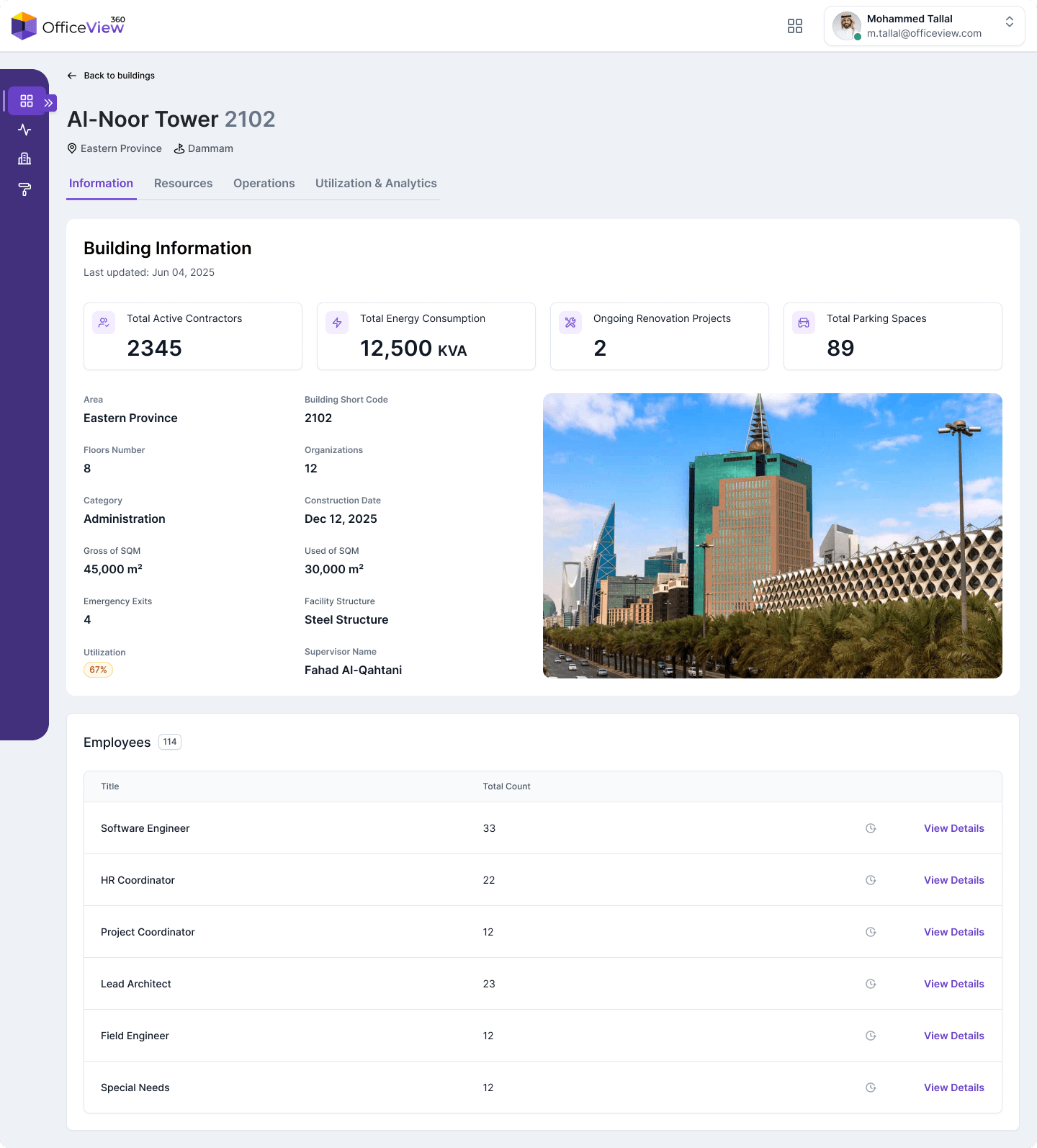
Building information page: A snapshot of key building details
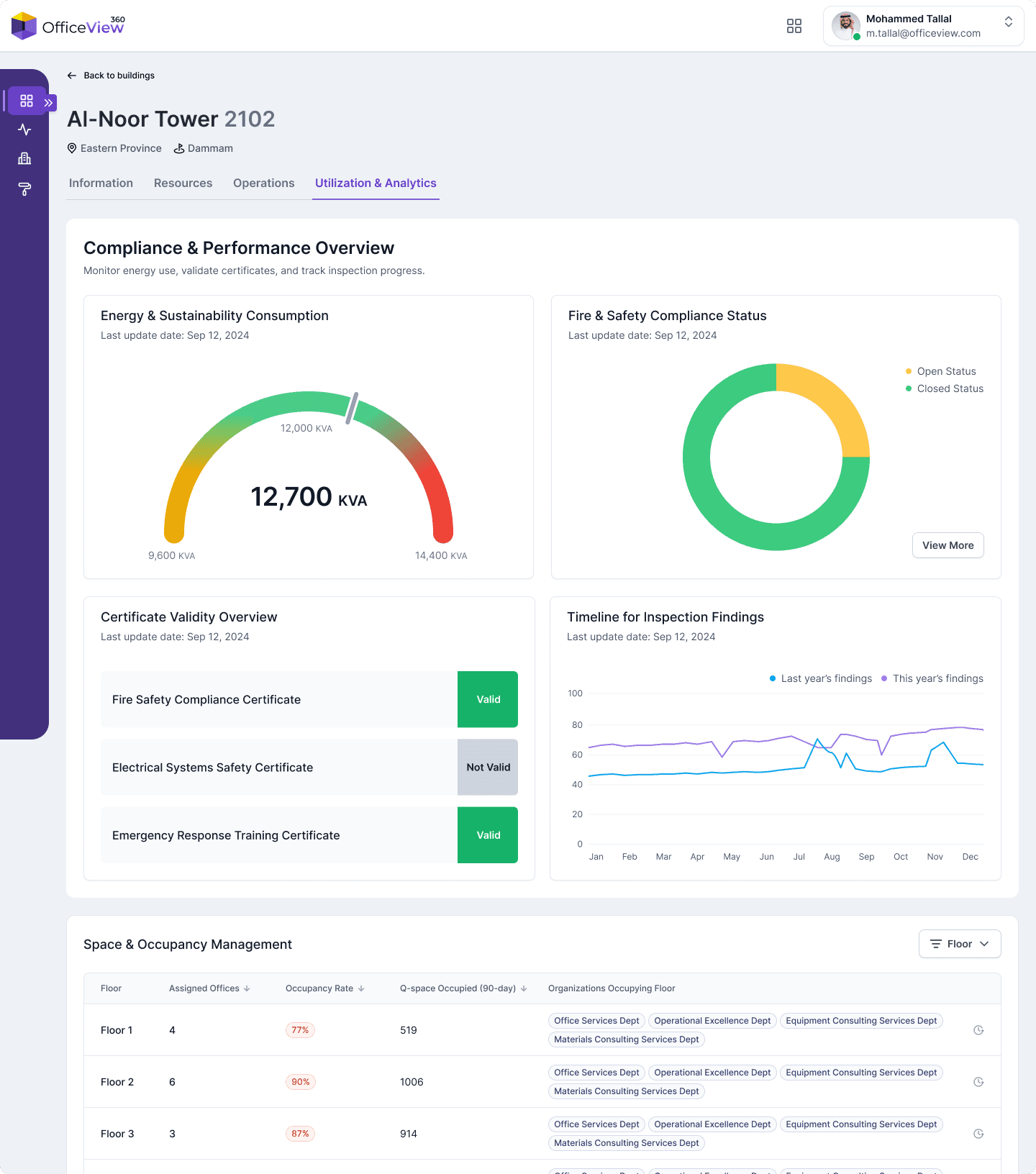
The building analytics page, showing information such as energy trends and occupancy insights
Impact
Outcome

Unified Data
All building and occupancy data in one place

Live Insights
Up-to-date occupancy and space utilization

Better Decisions
Informed planning for renovations and allocations

Less Manual Work
No more chasing spreadsheets or reconciling reports

Scalable Platform
Future-proof for new buildings and analytics
Reflection
This project reinforced my ability to lead discovery, facilitate alignment, and work across technical and non-technical groups. I stepped into responsibilities beyond design, shaped the product’s direction, and delivered an experience that matches the scale of the organization.
It also taught me how to design for complex, inconsistent datasets and how to create clarity in environments where definitions, workflows, and priorities vary across teams.